Anomaly Detection watches for account behaviour that suggests a compromise, most notably "impossible travel" logins, where the same account signs in from two places too far apart to be the same person in the time between. It is a powerful signal, but it needs tuning to avoid noise.
Configure the engine
Go to Security Settings → Security Engines → Anomaly Detection. The engine looks at sign-in locations, sending behaviour, and other signals to flag potentially compromised accounts.
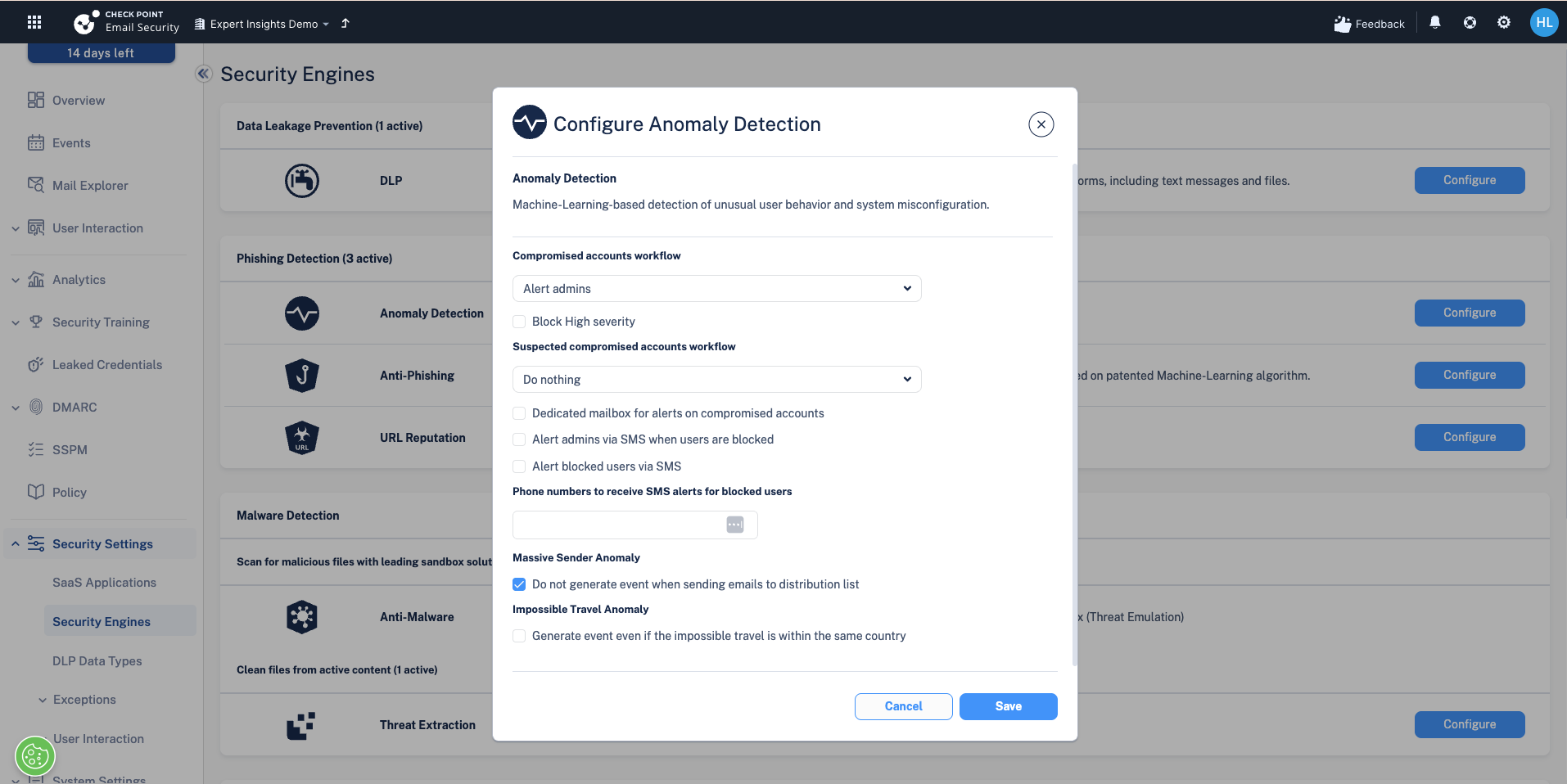
Leaving the “Generate event even if impossible travel is within the same country” option switched off does not disable impossible travel detection. With it off, Check Point still flags impossible travel on geographic location, meaning a sign-in from one country followed by another country sooner than anyone could realistically travel. Switching it on extends the same check to journeys within a single country, which is where most false positives come from (VPNs, mobile networks and carrier NAT).
Compromised accounts and Massive Sender Anomaly
Beyond impossible travel, the engine flags other compromise signals. A Massive Sender Anomaly, for example, is where an account suddenly sends far more mail than normal, a classic sign of a hijacked mailbox being used to send spam or phishing.
Next steps
Next: Managing exceptions and allow-lists
Previous: DLP and keyword-triggered email encryption
Need Help with Check Point Harmony?
We deploy, configure, and manage Check Point Harmony Email & Collaboration for businesses, making sure your policies, engines, and protection modes are set up correctly so your organisation is fully covered.
Speak to an expertWas this article helpful?
That’s Great!
Thank you for your feedback
Sorry! We couldn't be helpful
Thank you for your feedback
Feedback sent
We appreciate your effort and will try to fix the article