Every Check Point engine can have exceptions: entries that tell that engine to treat certain senders, domains, URLs, files, or recipients differently. Used well, exceptions kill false positives. Used carelessly, they punch holes in your protection. This article explains how exceptions work, the list types, and each engine's exception capability.
Where exceptions live
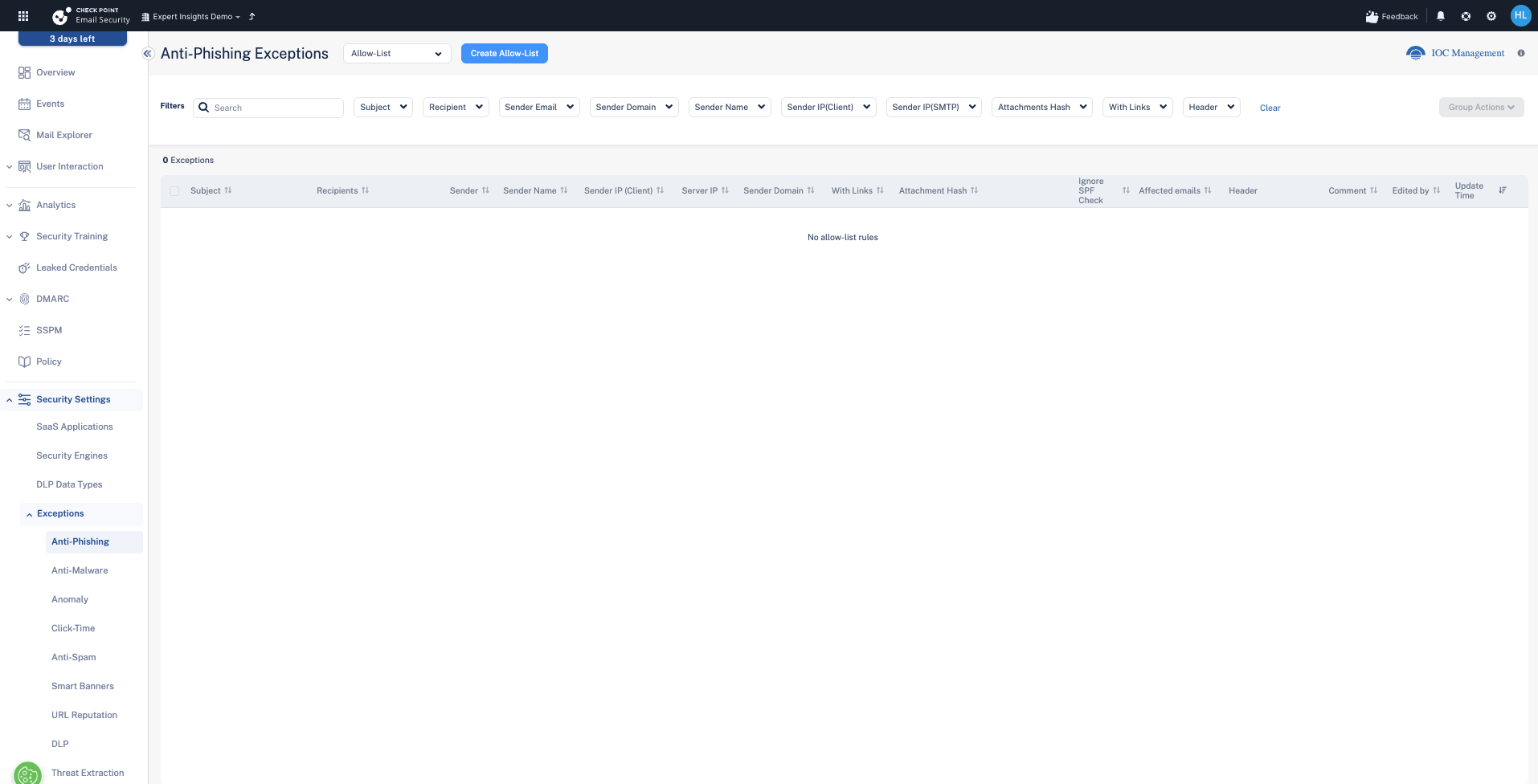
Go to Security Settings → Exceptions. Each engine has its own list. The most important rule to understand up front: an exception only affects the engine it sits under. Allow-listing a sender for Anti-Spam does not exempt it from Anti-Phishing or malware scanning.
List types
Most engines offer more than one list:
- Allow-List — treat matching items as clean and exempt them from that engine's verdict.
- Block-List — always treat matching items as bad, regardless of what the engine would decide.
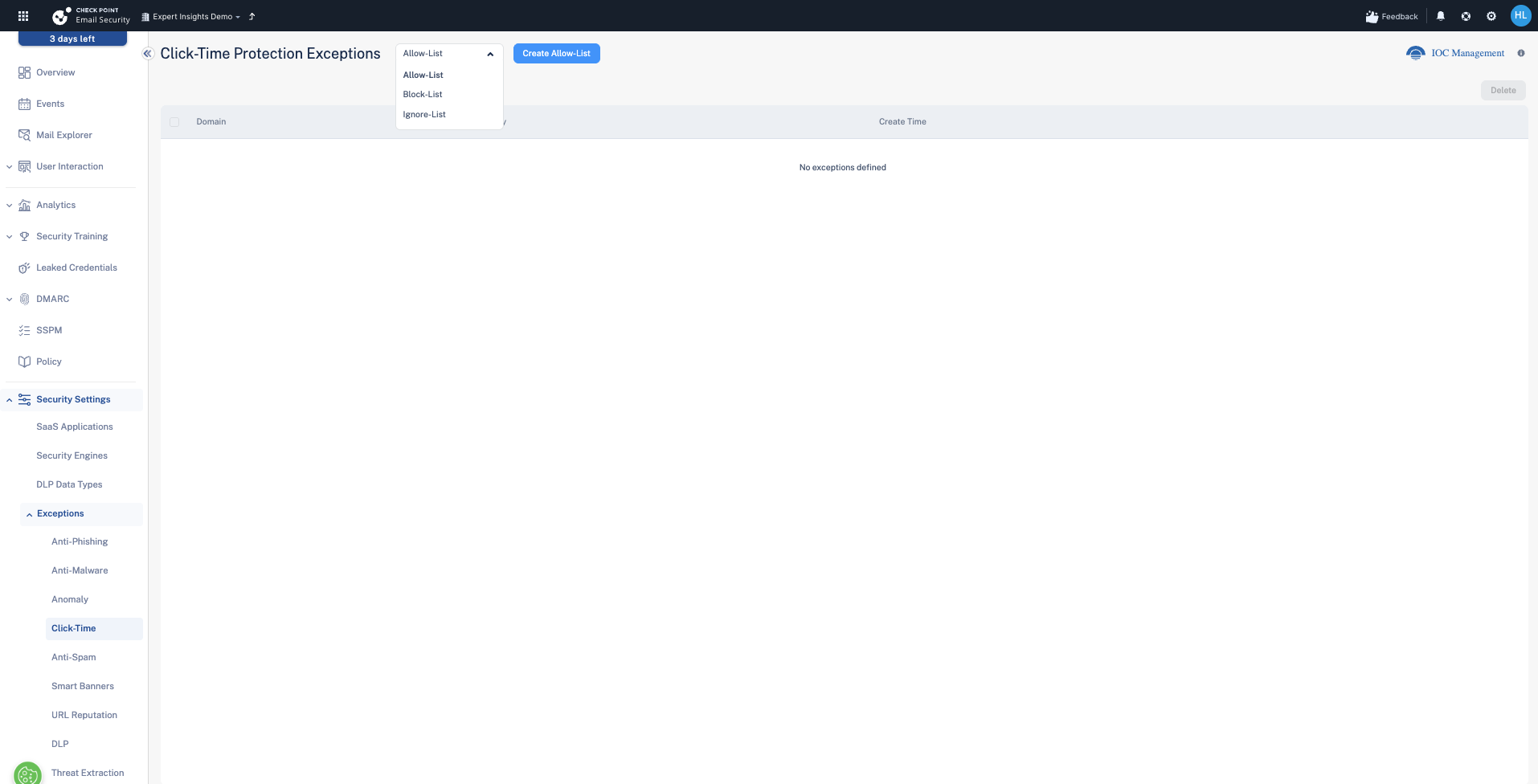
- Ignore-List (Click-Time) — don't apply the engine's action to these items (for example, don't rewrite these links) without fully trusting them.
Each engine's exception capability
| Engine | Lists available | What you can match on |
|---|---|---|
| Anti-Phishing | Allow-List, Block-List | Subject, recipient, sender email, sender domain, sender name, sender IP (client), server IP (SMTP), links, attachment hash, header. Also an "Ignore SPF Check" option per rule. |
| Anti-Malware | Allow-List, Block-List, Password-Protected Attachments | Sender, file hash, macro hash, file type. The Password-Protected Attachments list controls how encrypted attachments the sandbox cannot open are handled. |
| Anomaly | Anomaly exceptions | Specific anomaly types / details, so a known service that trips (for example) impossible-travel stops generating events. |
| Click-Time Protection | Allow-List, Block-List, Ignore-List | Domain. Allow treats links as clean, Block as malicious, Ignore leaves the links un-rewritten. |
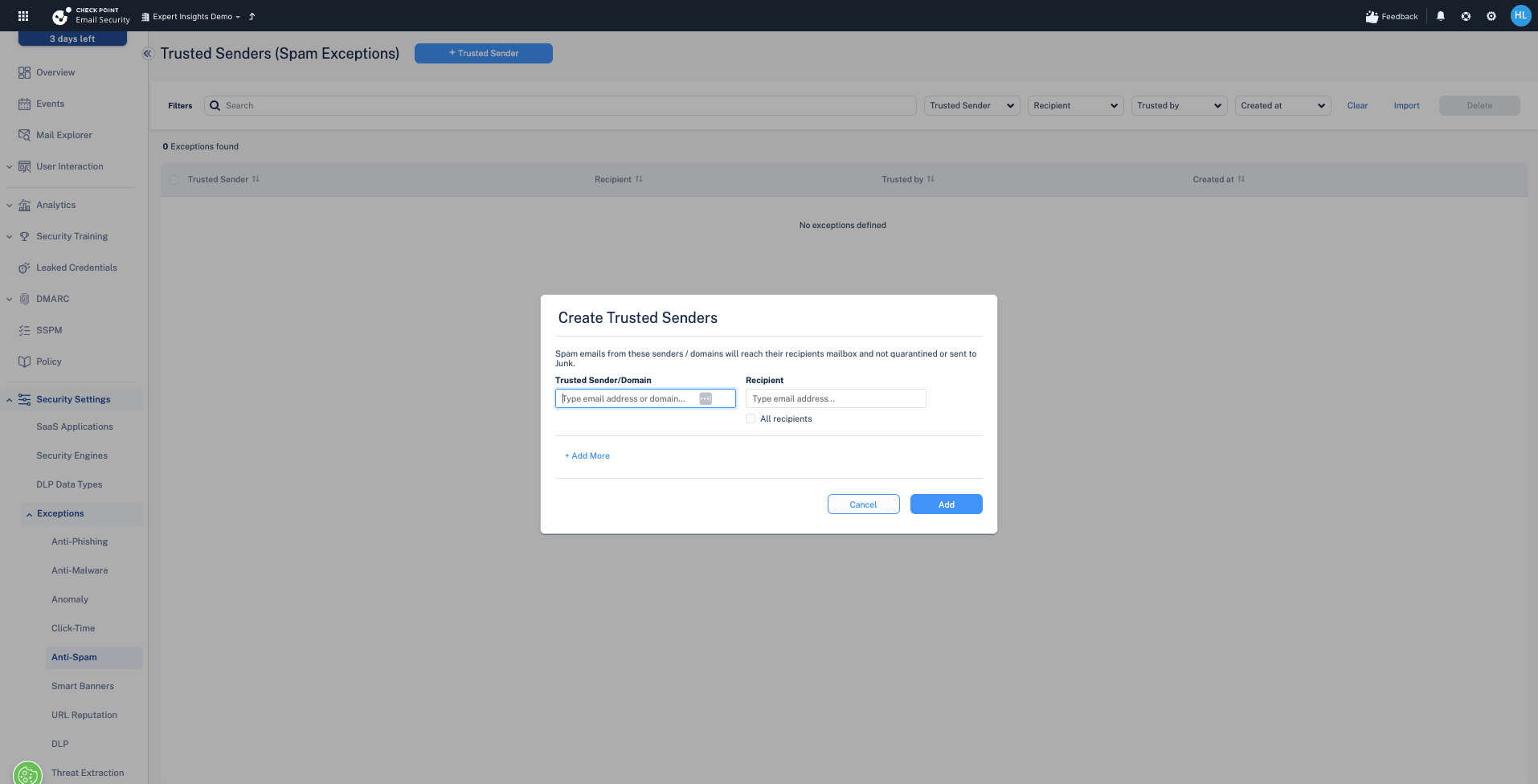
| Anti-Spam (Trusted Senders) | Trusted Senders | Sender / domain, scoped to a recipient or all recipients. Spam from them reaches the inbox instead of quarantine or Junk. |
| Smart Banners | Trusted Senders | Sender / domain, scoped to recipients. Their mail won't show smart banners to those users; spam, phishing, malware and quarantine handling are unchanged. |
| URL Reputation | Allow-List, Block-List | Exact URL or Domain. Allow-listed URLs won't be flagged by URL Reputation. |
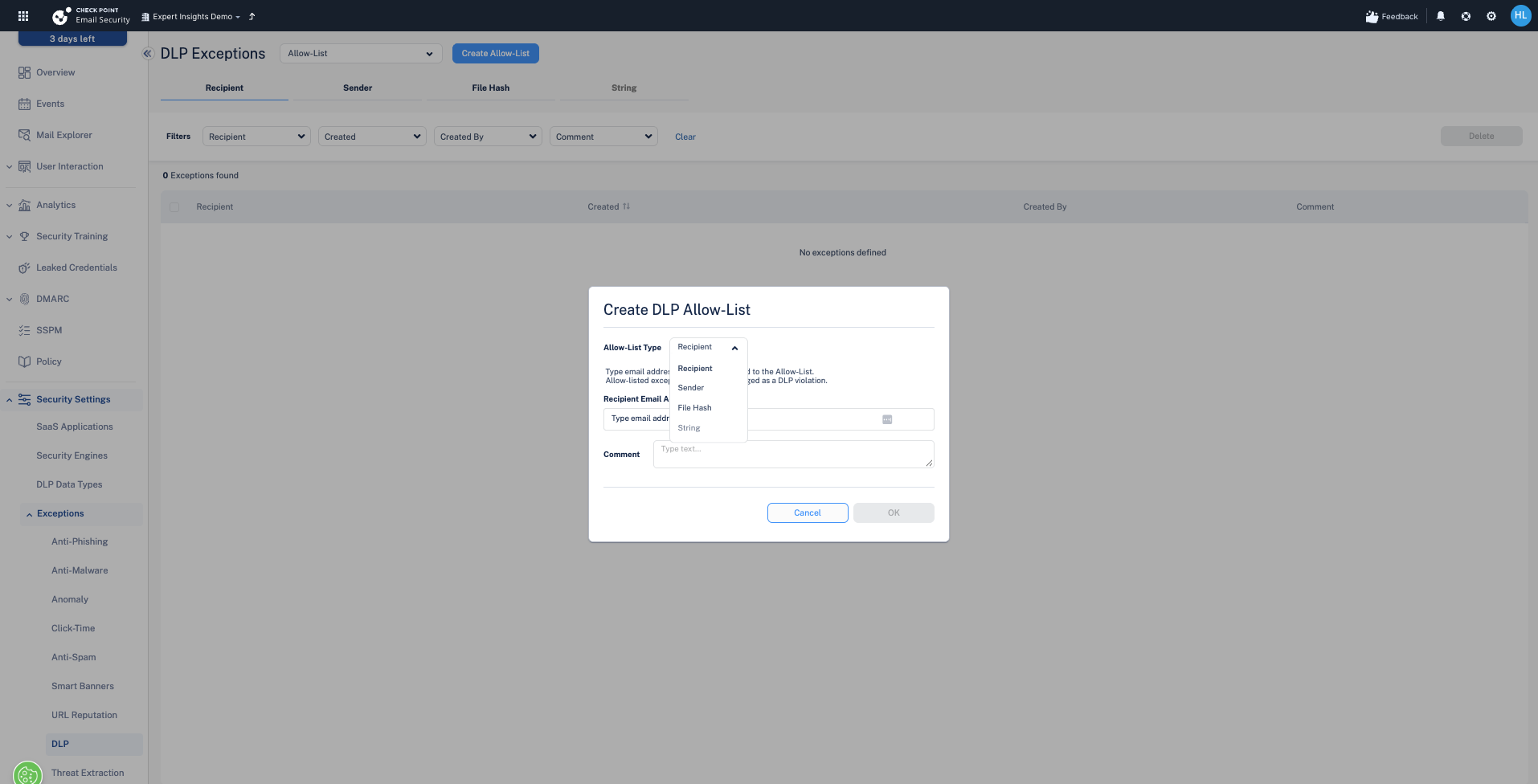
| DLP | Allow-List, Block-List | Recipient, sender, file hash, or string. Allow-listed matches won't be treated as a DLP violation. |
| Threat Extraction | Allow-List | Sender or file hash. Matching mail skips content extraction and the original file is delivered. |
Adding an exception (example: a spam Trusted Sender)
Go to Exceptions → Anti-Spam → Create Trusted Sender. Enter the sender or domain and the recipient (or tick All recipients). Spam from that sender then reaches the inbox rather than quarantine or Junk. Note the scope: this only exempts spam. Phishing, malware, and quarantine handling for that sender are unchanged.
DLP and URL allow-lists
DLP allow-lists can key off recipient, sender, file hash, or string, which is useful when a specific legitimate flow keeps tripping a DLP rule. URL Reputation allow-lists take an Exact URL or a whole Domain.
Example — allow a domain and its subdomains: to allow only the exact domain, choose List Type = Domain and enter example.com. To allow the domain and all of its subdomains (www.example.com, shop.example.com, and so on), use the wildcard form *.example.com. A bare example.com entry matches the apex domain and may not include subdomains, so use the wildcard when you intend to cover the whole subdomain tree.
Next steps
Next: Notifications, alerts and reporting
Previous: Anomaly Detection and impossible-travel logins
Need Help with Check Point Harmony?
We deploy, configure, and manage Check Point Harmony Email & Collaboration for businesses, making sure your policies, engines, and protection modes are set up correctly so your organisation is fully covered.
Speak to an expertWas this article helpful?
That’s Great!
Thank you for your feedback
Sorry! We couldn't be helpful
Thank you for your feedback
Feedback sent
We appreciate your effort and will try to fix the article