When setting up the Phishing Button Office Add-in, you will be required to provide a link to the Manifest file. The instructions below will assist you on where to locate the link.
Manifest file link:
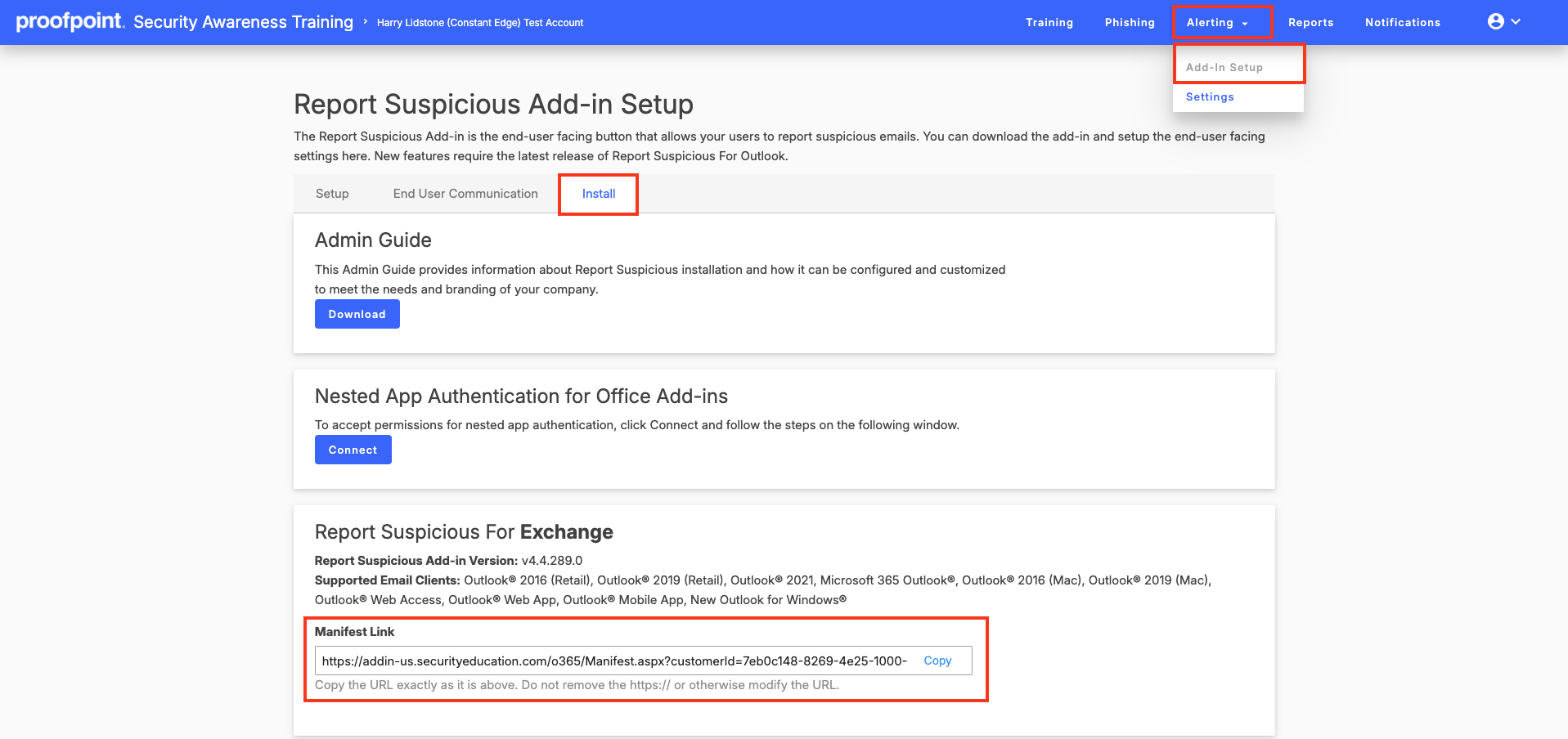
To find the link for the manifest file:
- Login to Proofpoint platform
- Click on Security Awareness in the left hand navigation
- In the Security Awareness portal click on Alerting>Add-In Setup>Install
At the bottom of the page you will be able to copy the Manifest Link required for Step 3.
Need Help with Security Awareness Training?
We help businesses deploy and manage security awareness training — reducing phishing risk, improving user behavior, and strengthening your overall security posture.
Speak to an expertWas this article helpful?
That’s Great!
Thank you for your feedback
Sorry! We couldn't be helpful
Thank you for your feedback
Feedback sent
We appreciate your effort and will try to fix the article