Issue
All the phishing messages sent to the users are showing as being clicked and/or opened in Security Awareness
Cause
Microsoft Defender for Office 365's Safe Links feature, is clicking on the links inside the messages to check to see if the links are dangerous. The problem is that this makes Proofpoint think that the links are clicked and the messages are opened. So everybody is marked has having failed the test.
You can tell this is happening by looking at the originating IPs the clicks are coming from. In the highlighted column on the right side of the screenshot, doing an IP whois on them shows they are all Microsoft IP addresses.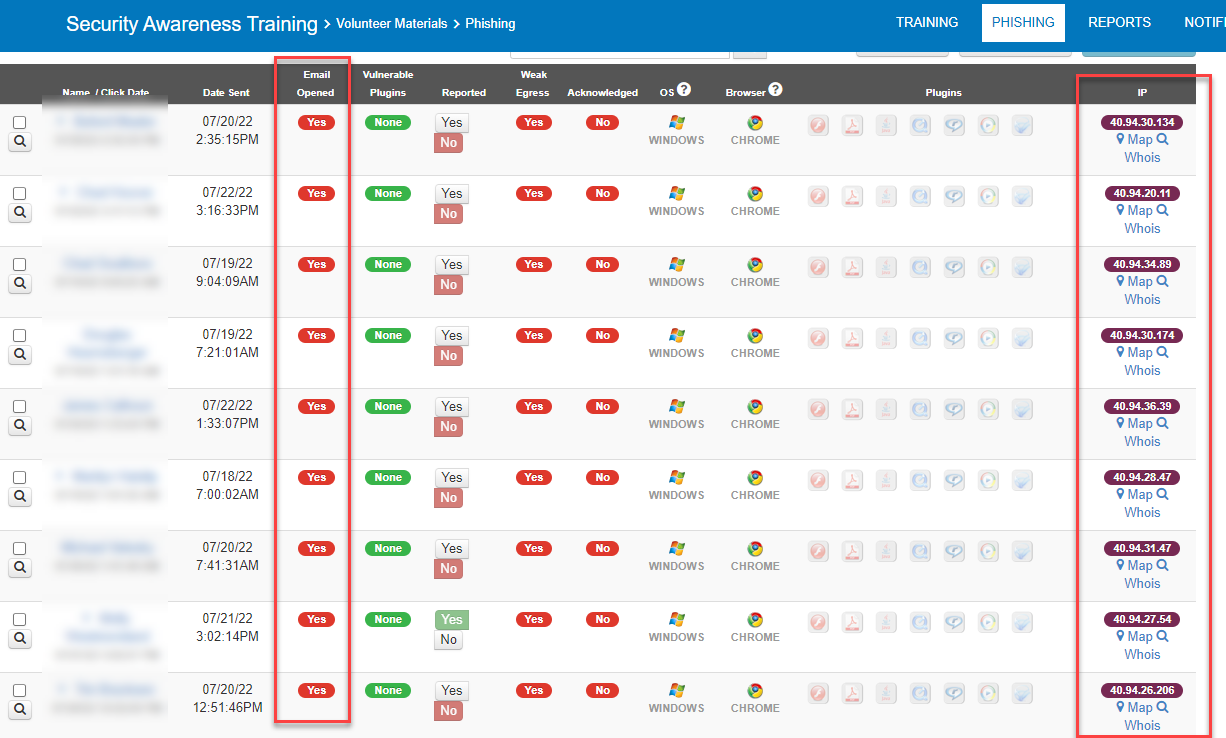
Fix
You need to create a mail flow rule to bypass ATP link checking.
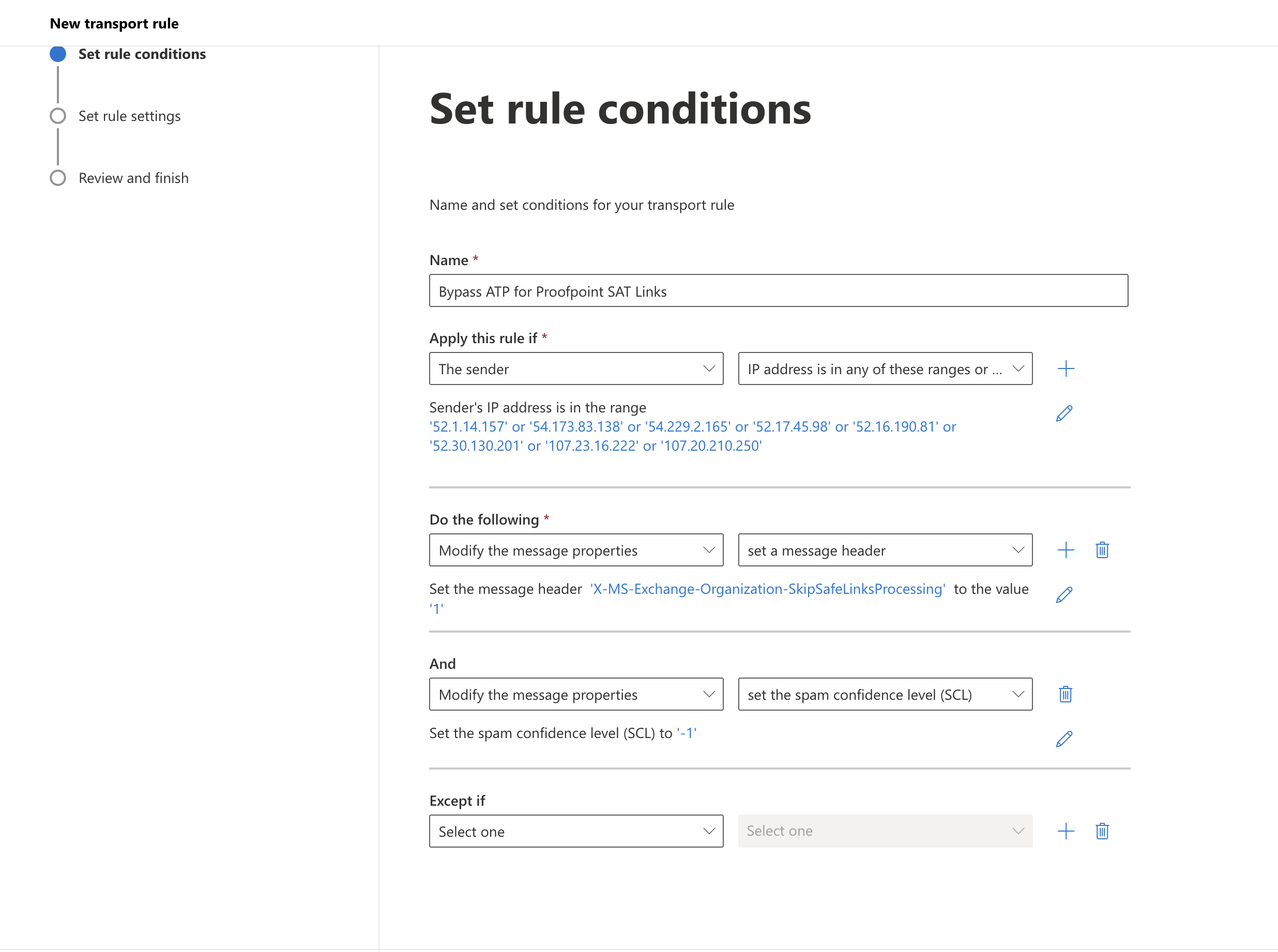
- Create a new mail flow rule in your Exchange admin center
- Give the rule a name (i.e. Bypass ATP Link Checking)
- Click more options
- Apply this rule if
- A the sender IP address is in any of these ranges or ...
- Put in the IPs belonging to Proofpoints Security Awareness Delivery servers.
52.1.14.15754.173.83.138
54.229.2.165
52.17.45.98
52.16.190.81
52.30.130.201
107.23.16.222
107.20.210.250
- Set the message header: X-MS-Exchange-Organization-SkipSafeLinksProcessing to the value: 1
AND set the spam confidence (SCL) to Bypass spam filtering - Save your new rule
Need Help with Security Awareness Training?
We help businesses deploy and manage security awareness training — reducing phishing risk, improving user behavior, and strengthening your overall security posture.
Speak to an expertWas this article helpful?
That’s Great!
Thank you for your feedback
Sorry! We couldn't be helpful
Thank you for your feedback
Feedback sent
We appreciate your effort and will try to fix the article