The following article covers the steps required to find storage usage within M365.
Providing storage usage allows us to provide a more accurate quotation based on your current setup.
To calculate the total usage across your M365 tenant you need to total the usage from Exchange, SharePoint & OneDrive. To do this follow the procedure below:
Login to the Microsoft 365 Admin Center
Exchange
To find Exchange usage, navigate to the Reports section of the admin panel, select Exchange -> Mailbox Usage, alternatively use this link.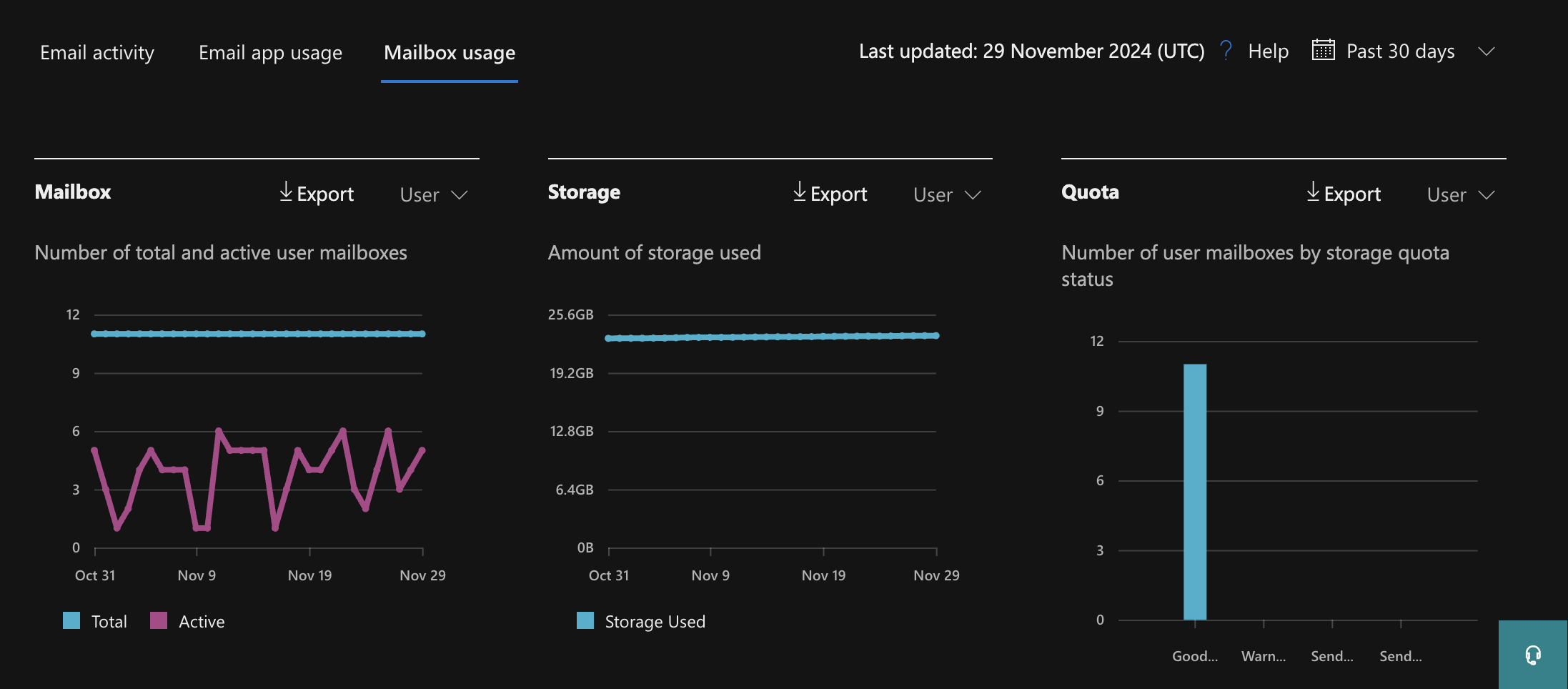
*Note that user and shared mailbox storage is split in two so these will need to be identified separately using the dropdown
SharePoint
To find SharePoint, Groups & Teams usage, navigate to the Reports section of the admin panel, select SharePoint -> Site Usage and view the Storage Chart, alternatively use this link.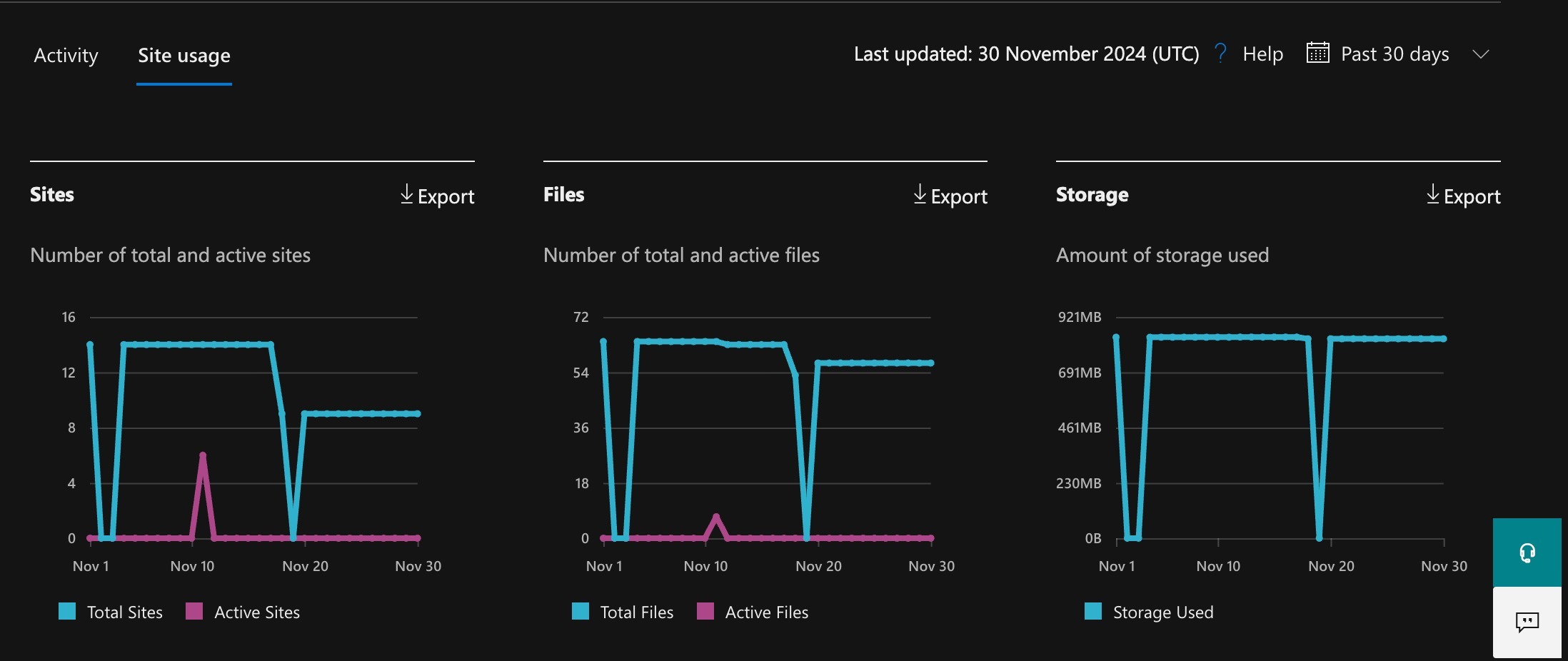
OneDrive
To find OneDrive usage, navigate to the Reports section of the admin panel, select OneDrive -> Usage and view the Storage Chart, alternatively use this link.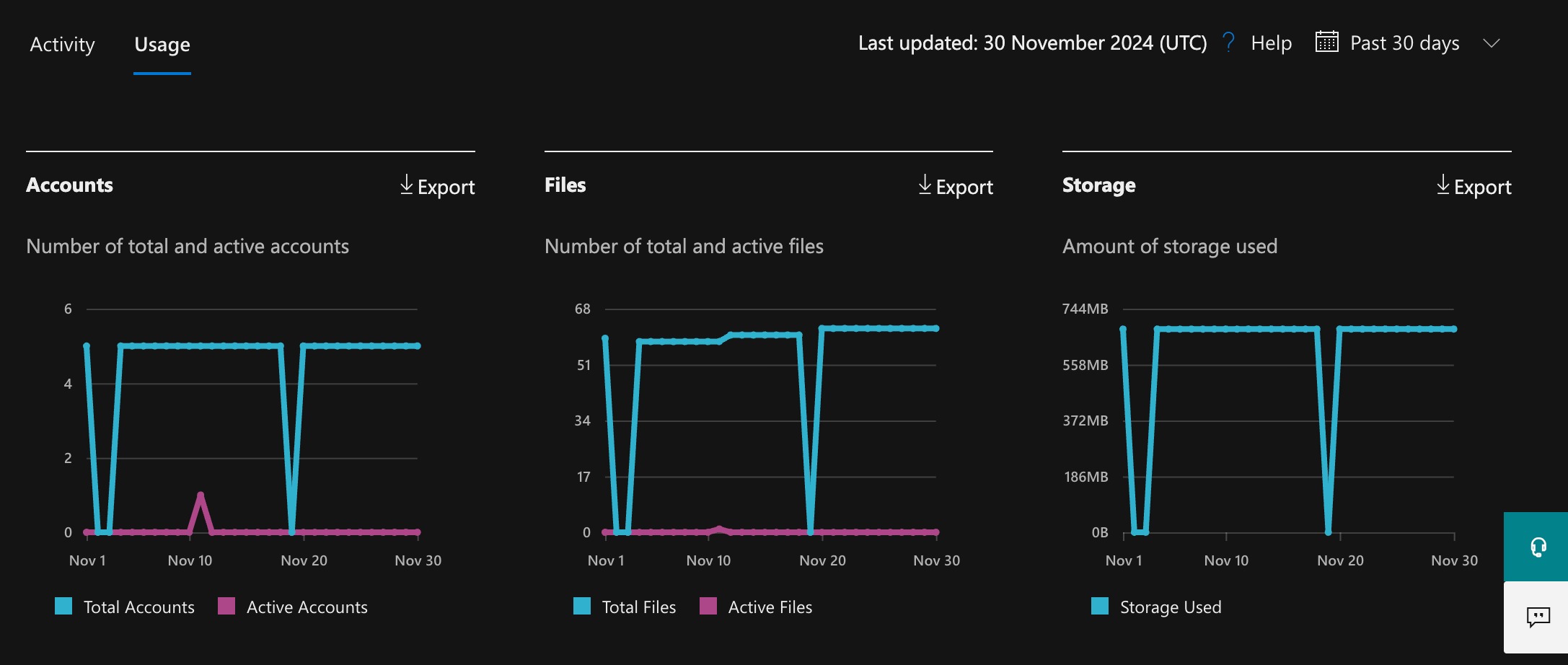
Need help with protecting your Microsoft 365 data?
We design, deploy, and manage secure Microsoft 365 backup solutions — ensuring your emails, files, and Teams data are fully protected and recoverable when you need them.
Speak to an expertWas this article helpful?
That’s Great!
Thank you for your feedback
Sorry! We couldn't be helpful
Thank you for your feedback
Feedback sent
We appreciate your effort and will try to fix the article